Theme
The theme tab allows you to customize the look of your hoorybot.
Global
This section allows you to enable or disable the hoorybot branding, change the font and the background of your bot.
Chat
This section allows you to customize all the chats components (avatars, bubbles, inputs etc...).
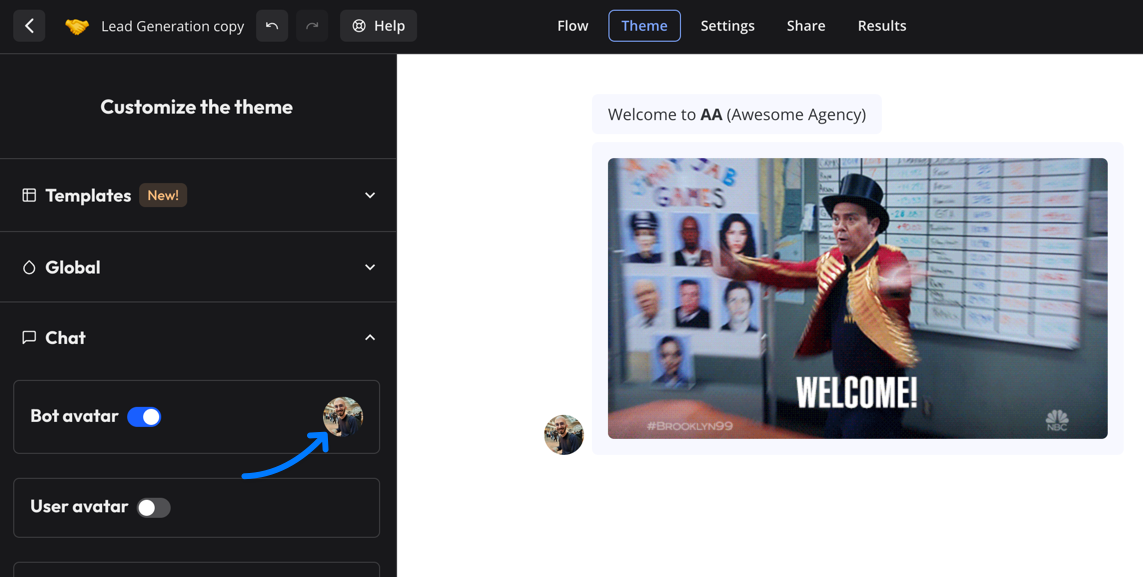
Click on the bot avatar to change the image:
Custom CSS
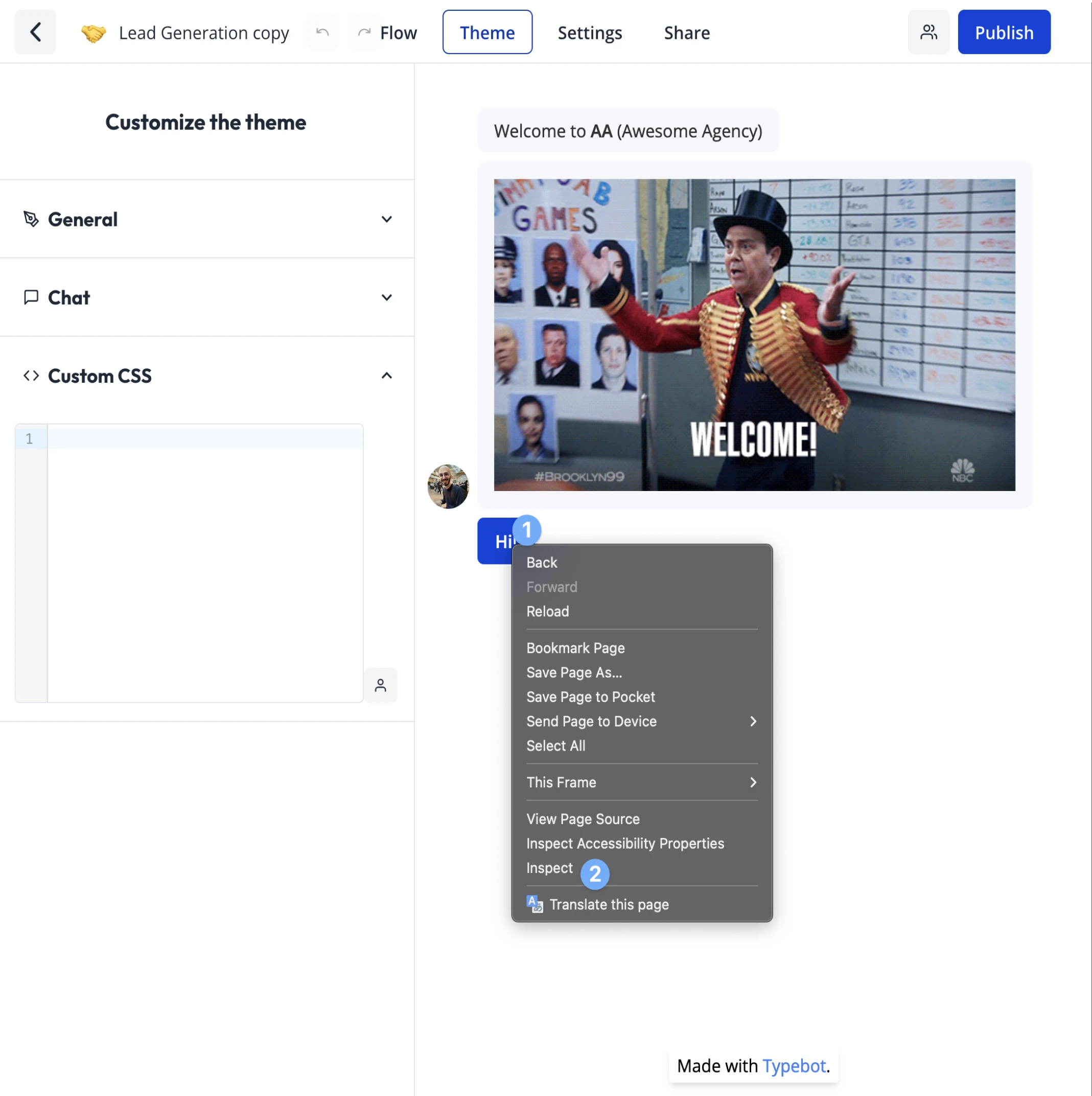
You can also decide to customize even further by adding any custom CSS you want. For this you right-click on the bot in the Theme page and inspect the element you want to customize:
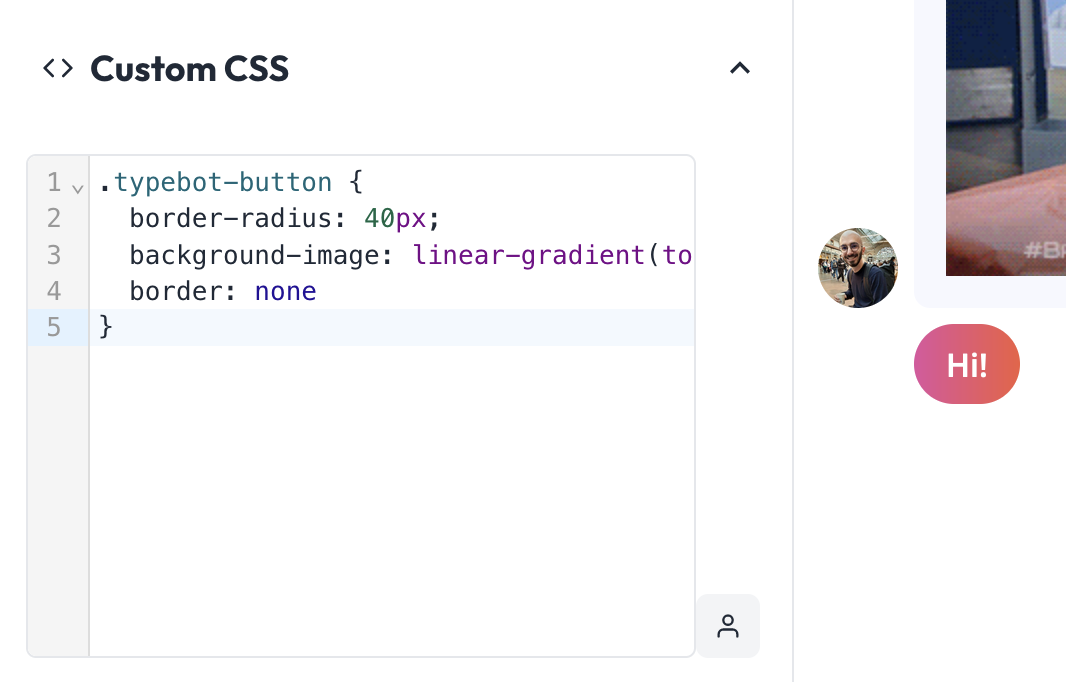
For example, if I want my buttons to be more rounded, and have a fancy gradient color, I can add this to the custom CSS:
.hoorybot-button {
  border-radius: 40px;
  background-image: linear-gradient(to right, #e052a0, #f15c41);
  border: none;
}
Customize a single button color
Thanks to custom CSS, you can customize the color of a single button for example by using the data-itemid attribute:
[data-itemid='cl3iunm4p000f2e6gfr8cznnn'] {
  background-color: gray;
  border-color: gray;
}
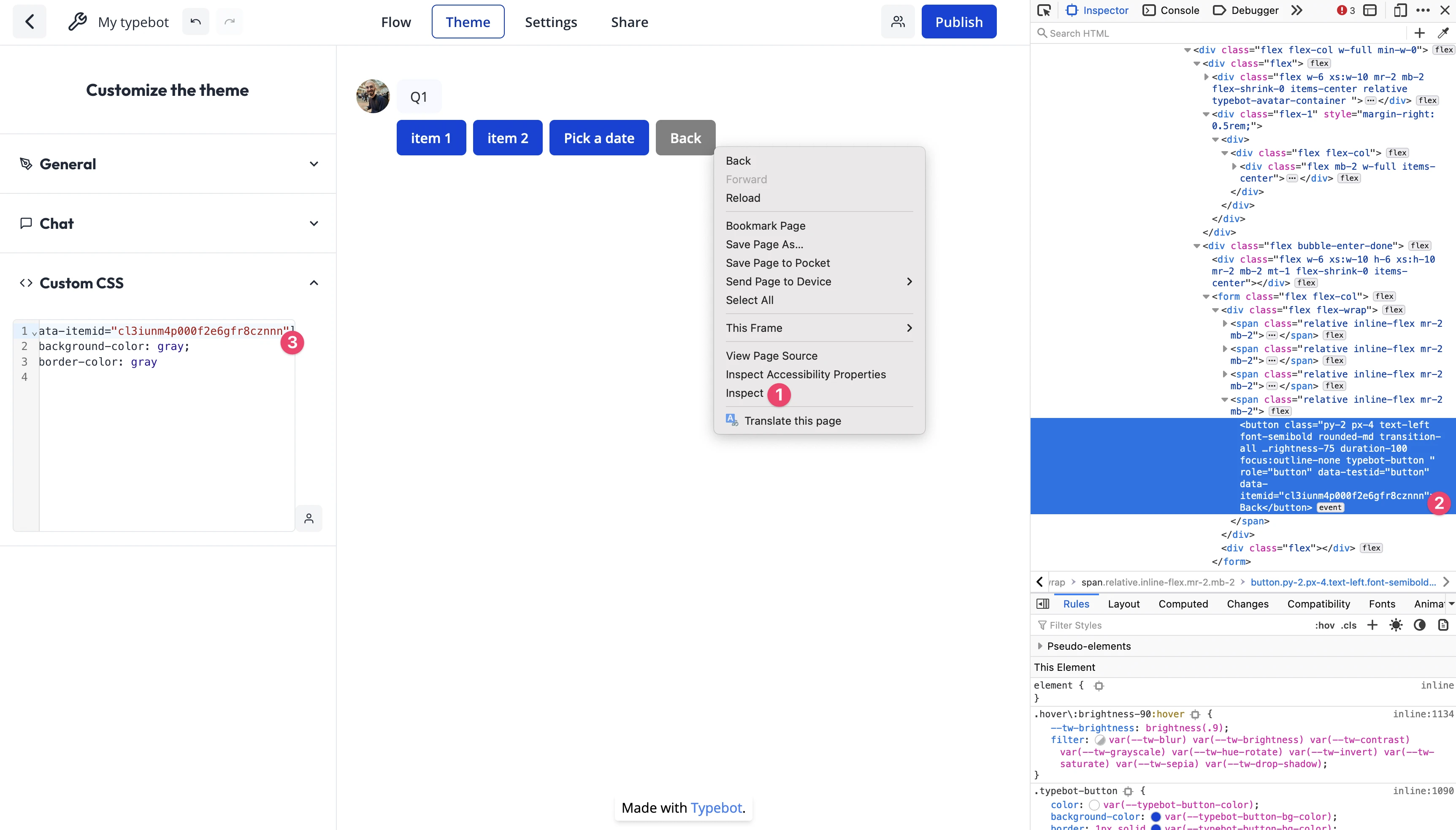
To find the item ID of a button, right-click on the button and inspect the element: