Creating a YoPhone Channel on Hoory AI
What Is YoPhone?
YoPhone is a free messaging and voice call app that lets you stay connected with friends and family using your phone's internet connection - no SMS or call charges.
Key Features:
✅ Free to Download – Available on the App Store and Google Play Store
✅ Unlimited Messaging & Calls – Connect with anyone, anytime, as long as you're online
✅ End-to-End Encryption – Your conversations stay private and secure
With YoPhone, communication is seamless, secure, and cost-free - all you need is an internet connection!
Creating a New Bot on YoPhone
To set up a YoPhone-based channel on Hoory AI, you first need to create a new bot on YoPhone.
Follow these steps:
- Open the YoPhone app.
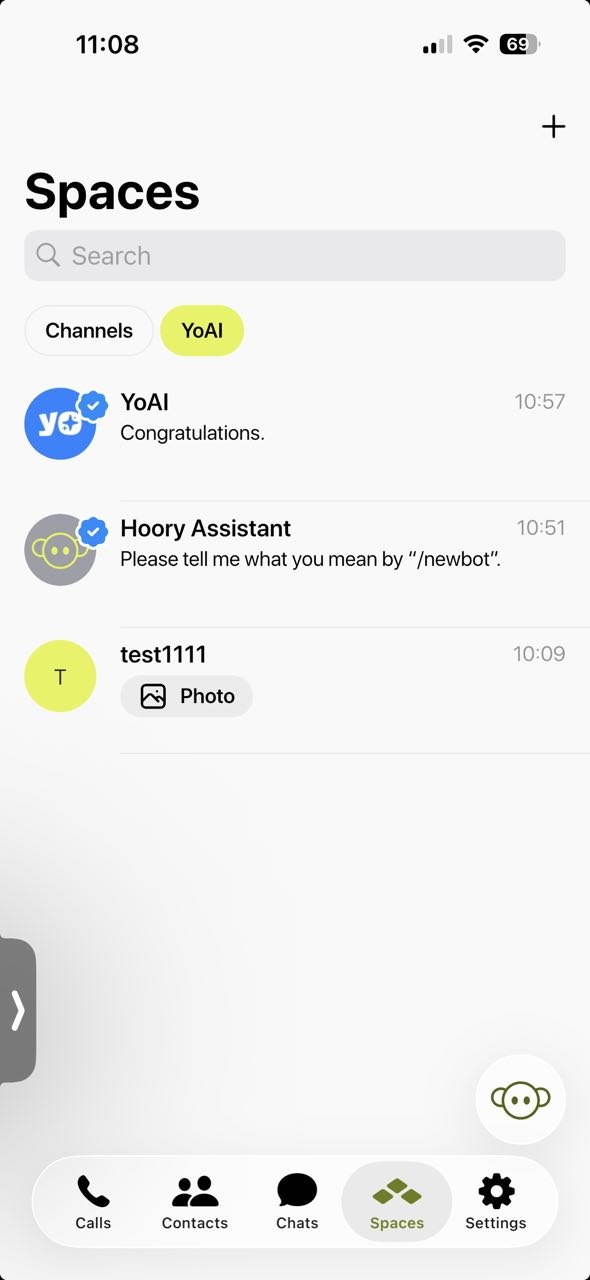
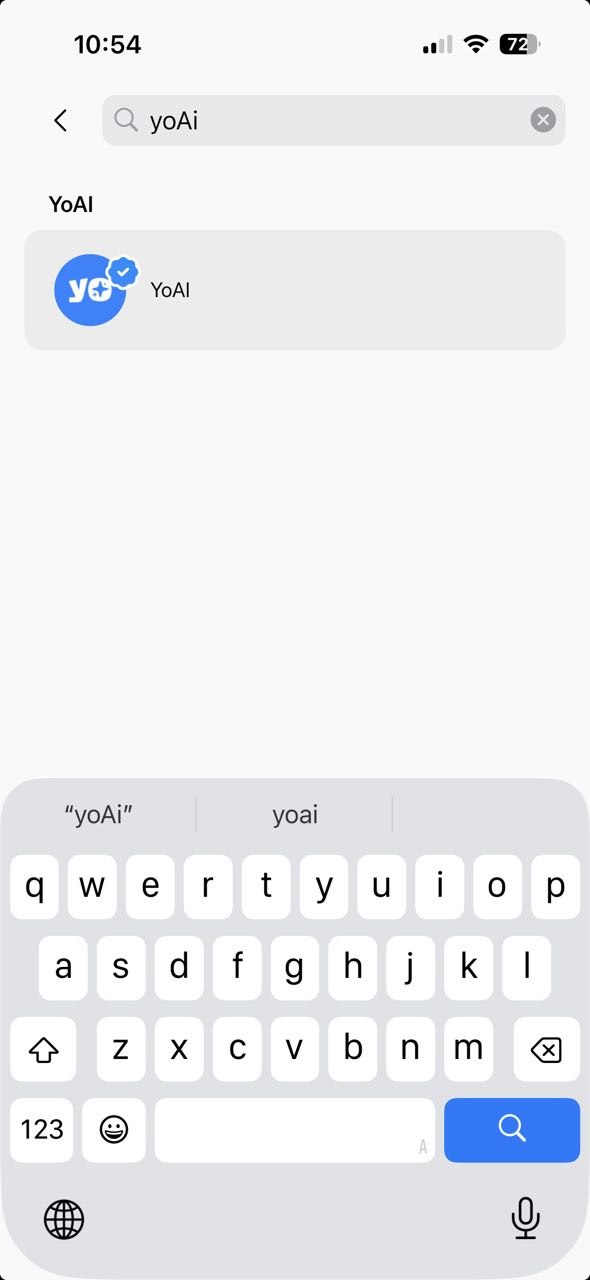
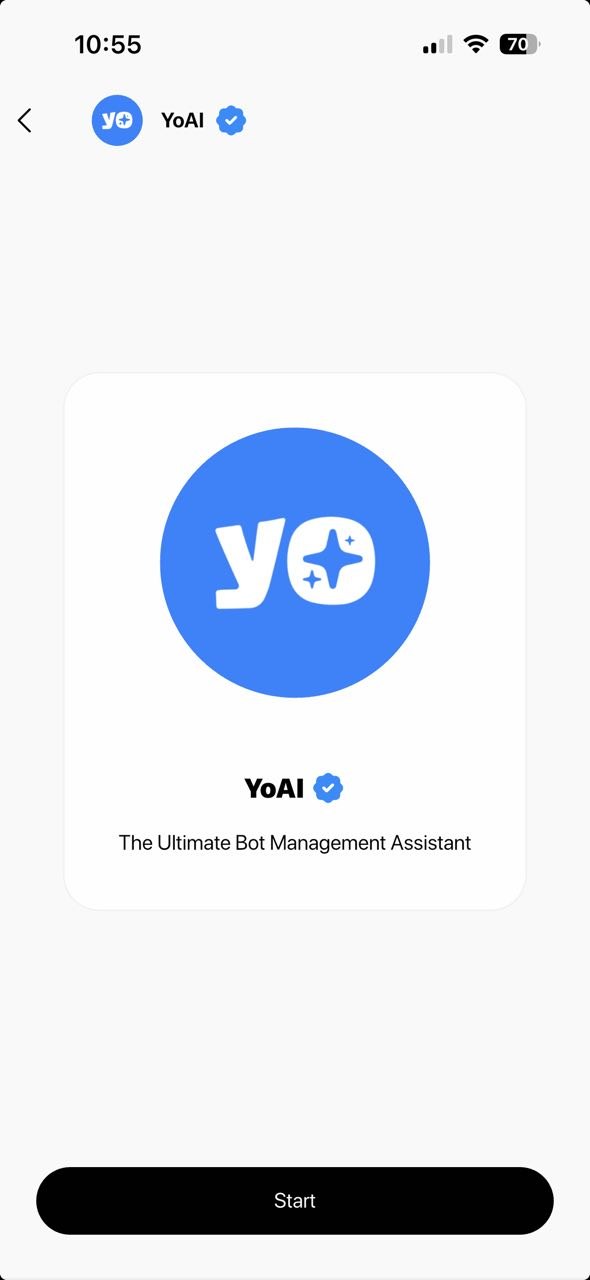
- Go to the Spaces tab, tap the Search field, type in YoAI, and open the official YoAI bot, by choosing Start.
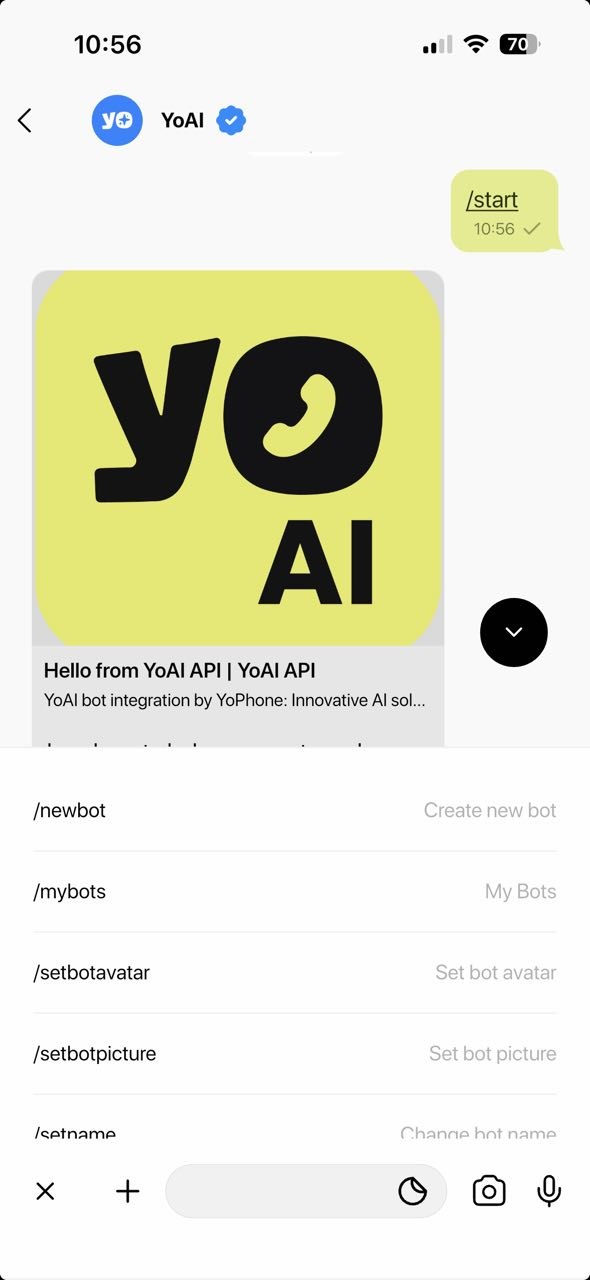
- Tap the menu icon next to the search bar and select /newbot to create a new bot.
- Enter the bot's username and description as prompted. (Username should contain only alphabetical characters and numbers without space.)
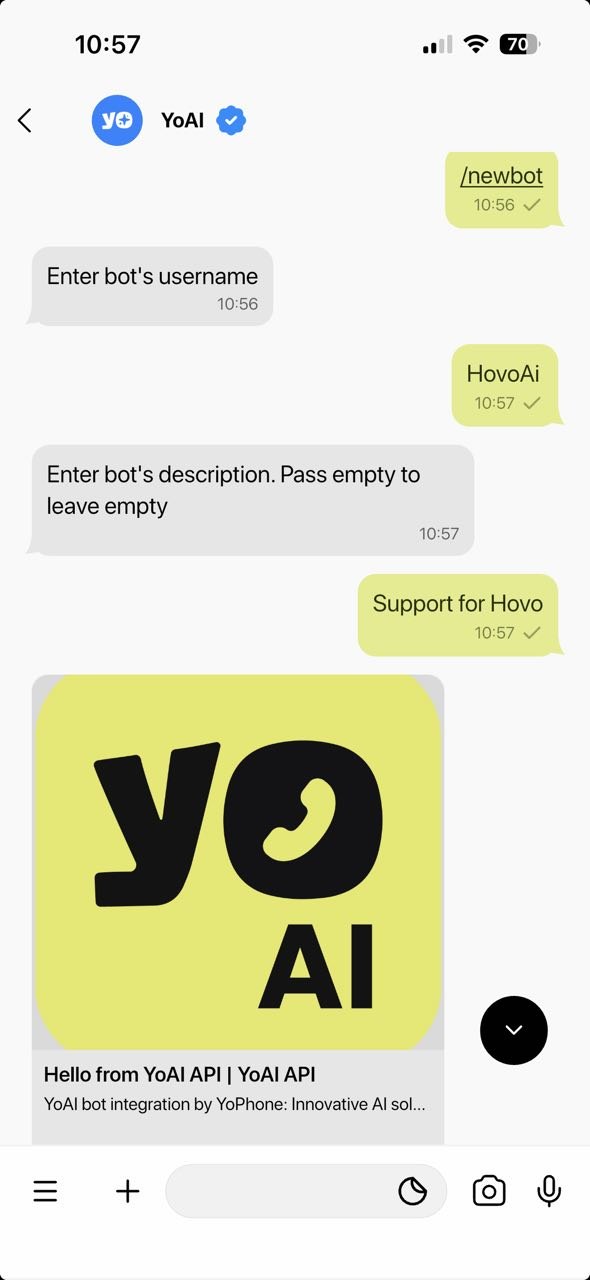
- Once created, you'll receive an API key - copy it for later use when setting up the channel on Hoory AI.
Now, you're ready to integrate your YoPhone bot with Hoory AI!
Creating a YoPhone Channel on Hoory AI
To create a YoPhone-based channel in Hoory AI, follow these steps:
-
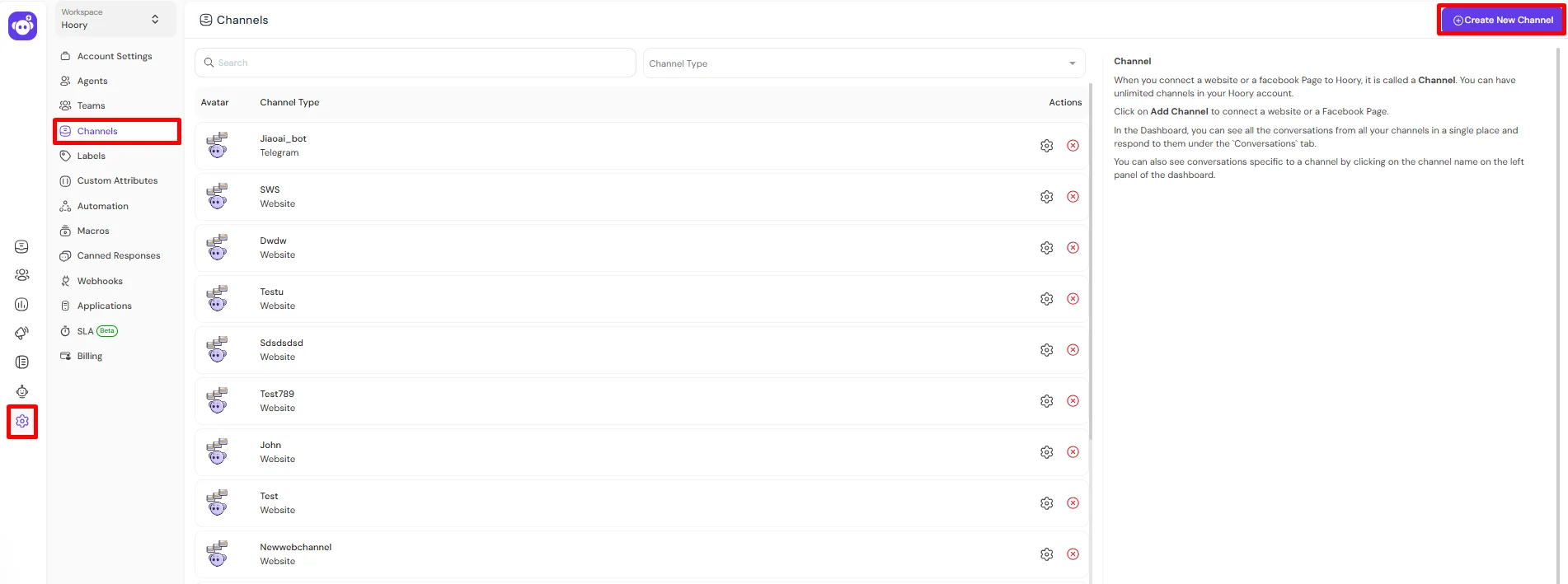
Open the Hoory AI app and navigate to Settings → Channels.
-
Click the Create New Channel button in the top right corner.
-
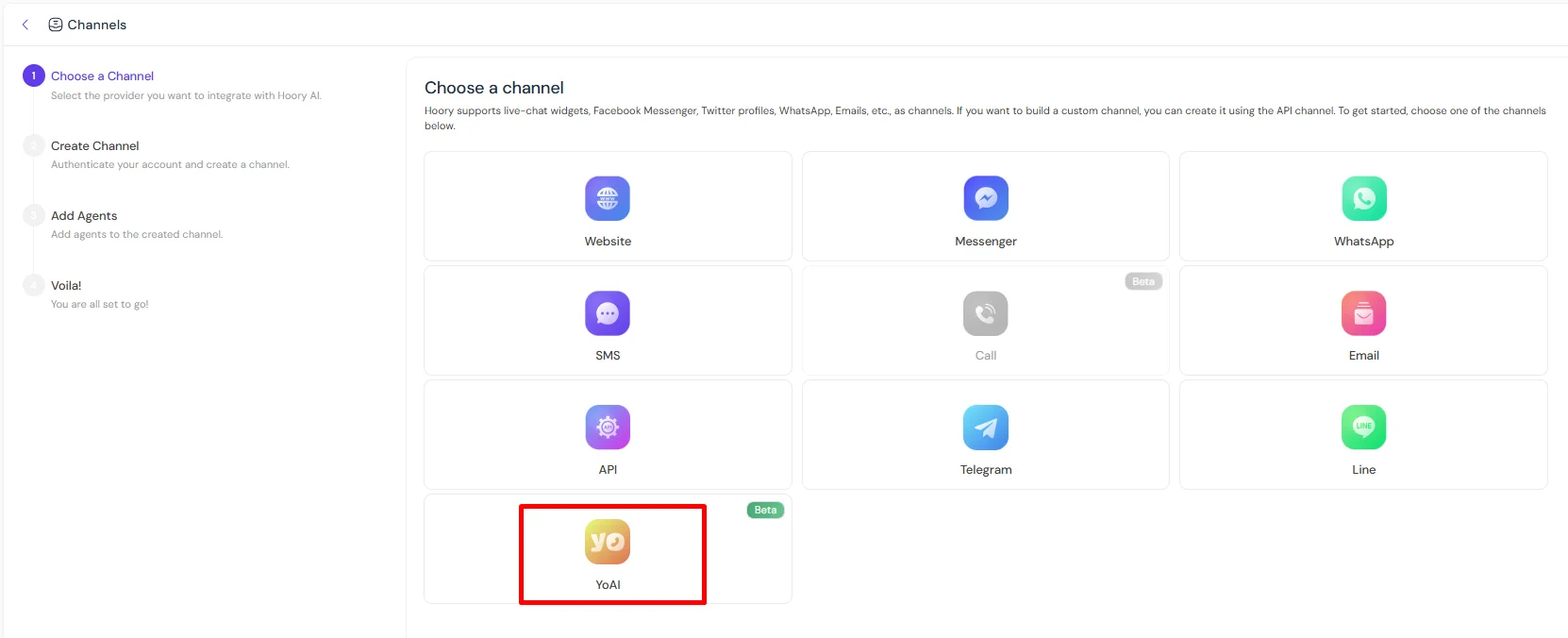
From the list of available channels, select YoAI.
-
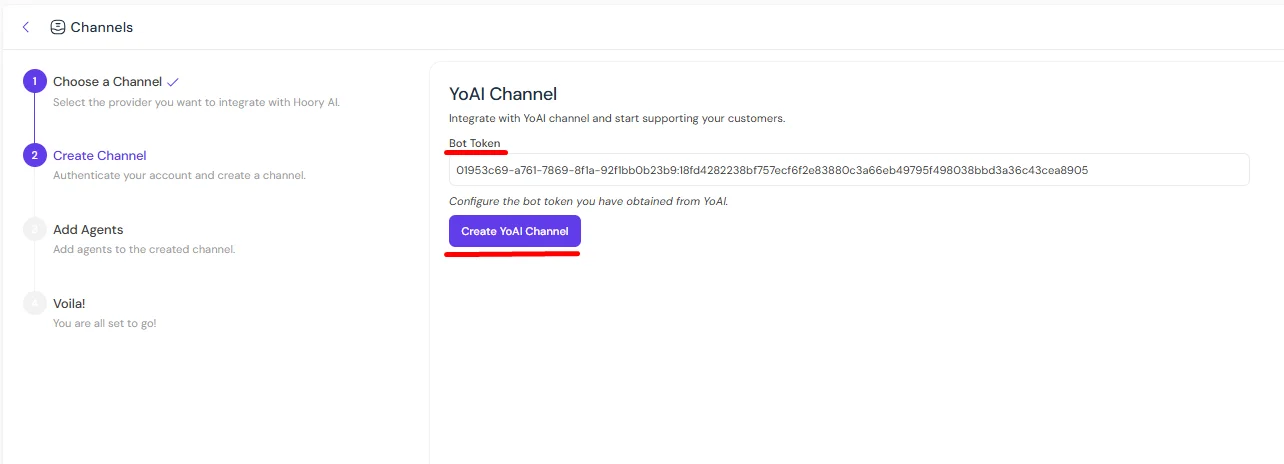
In the bot token field, enter the API key you obtained from the YoAI bot.
-
Click Create YoAI Channel to complete the setup.
-
Add agents to the channel as needed.
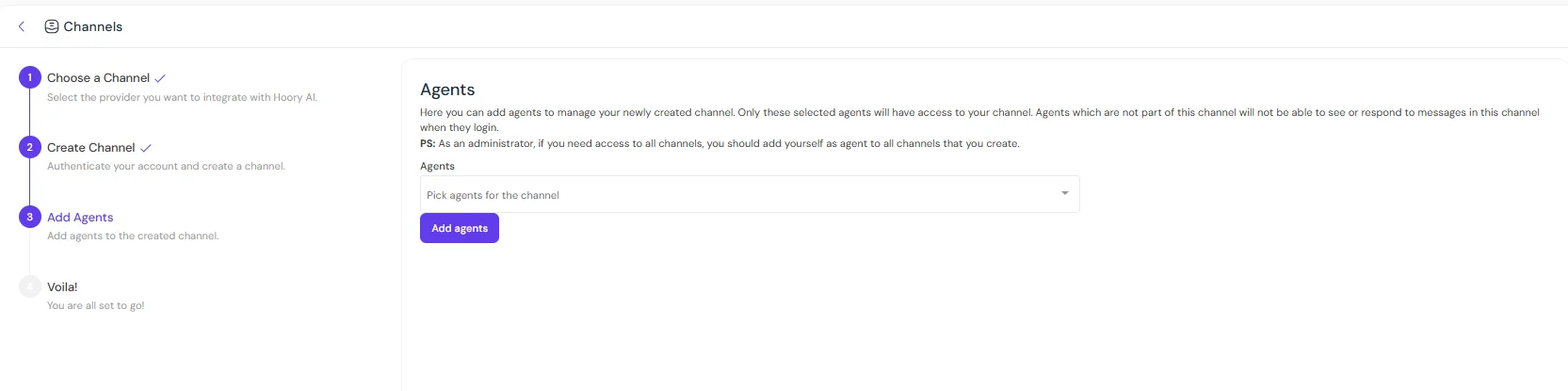
That's it! Your YoPhone-based channel is now ready and will appear in the left sidebar alongside your other channels.
How You'll Benefit from Having a YoPhone Channel on Hoory AI?
Creating a YoPhone channel on Hoory AI allows you to view and respond to customers reaching out via YoPhone directly from the Hoory AI dashboard.
With a YoPhone channel on Hoory AI, you can centralize customer communication and manage all interactions in one unified omnichannel inbox.